
Package Versioning
Package versioning lets you update a recurring package while preserving everything the previous version already delivered. With a new version, you can change or broaden your targeting criteria and then re-score all your content.. Each version is its own package, linked back to the original in the JSON.
Versioning is different from duplicating. Use the one that matches your intent:
Versioning vs. duplicating
Section titled “Versioning vs. duplicating”| Duplicate | Create a new version | |
|---|---|---|
| What it makes | A brand-new, independent package | A new version of the same package |
| Name | The original plus “copy” (e.g., “Back to School 2025 copy”) | Same name (e.g., “Back to School 2025”), with the version number incremented |
| Relationship | None; unrelated to the original | Linked to the original in the JSON (via root_package_id). In the UI, versions share the same name and version label |
| The previous package | Keeps running | Ends immediately and is preserved as history |
| Use it when | You want to reuse a package for a different campaign or client | You want to change or broaden your targeting or re-score and re-export all your assets |
Only one version is active at a time. Creating a new version ends the current one immediately, so if you want the two running in parallel, use Duplicate instead.
Create a new version
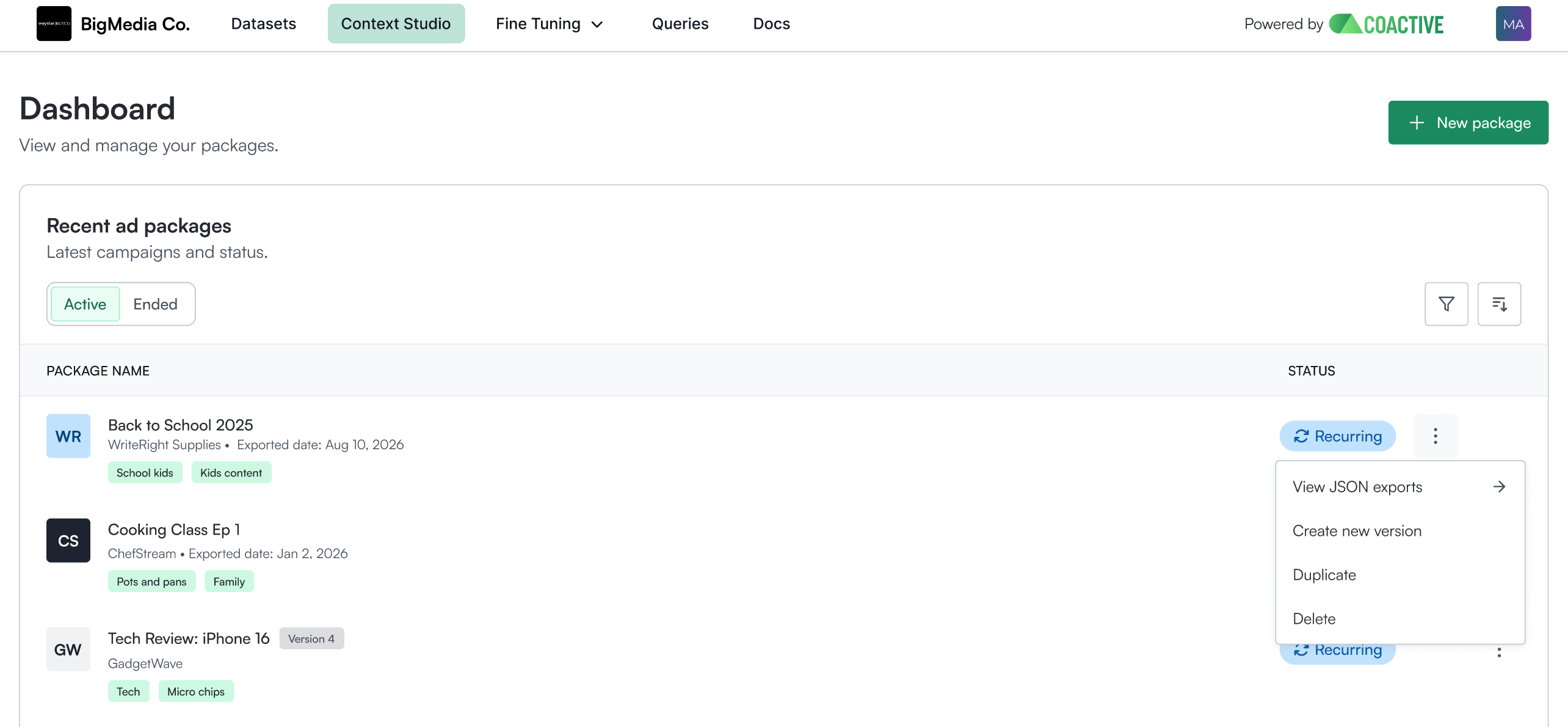
Section titled “Create a new version”From the package’s ⋮ menu on the dashboard, choose Create a new version (this is a separate option from Duplicate). The package must be recurring and in an exported state.
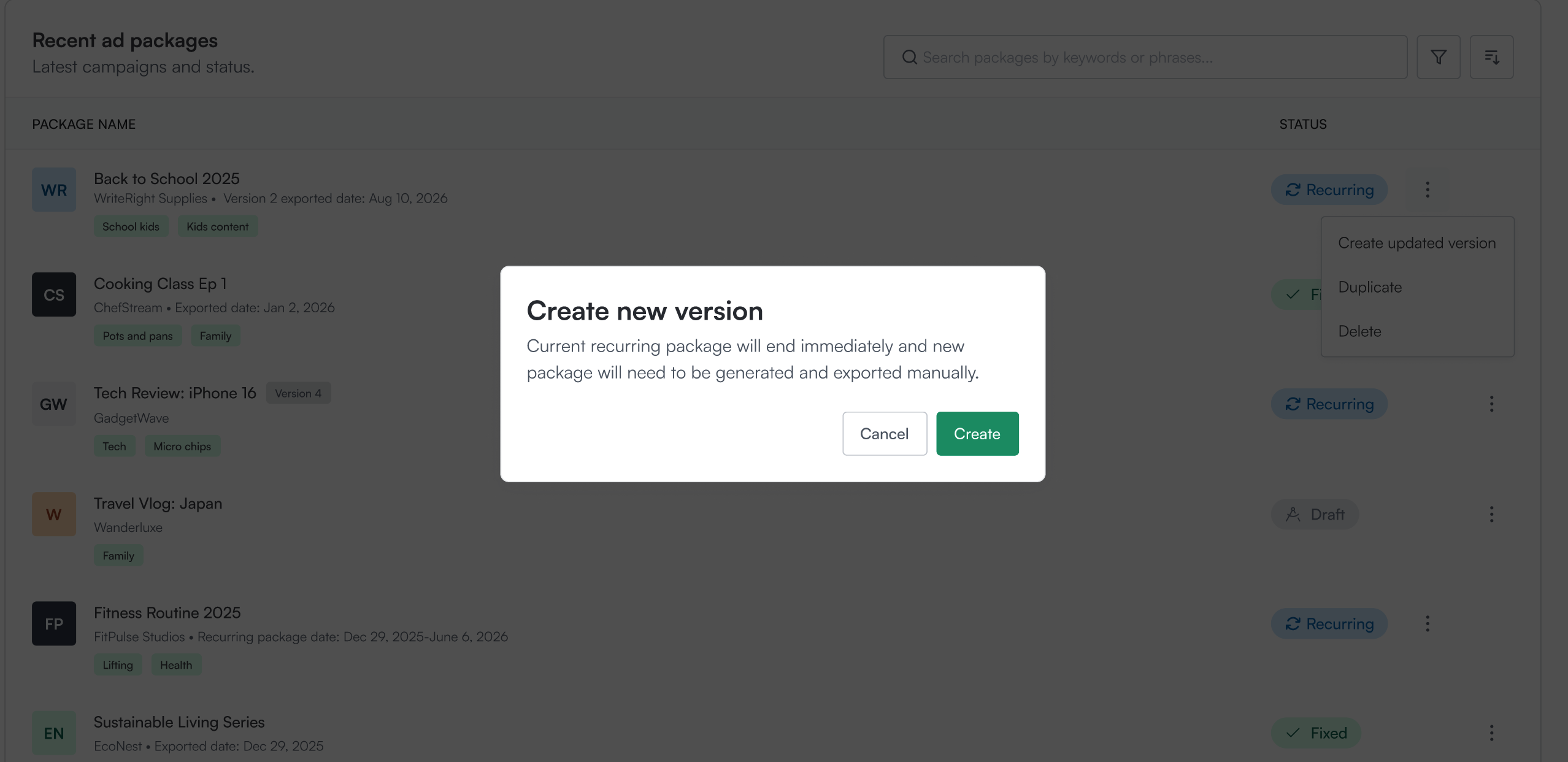
Confirm. The current version ends immediately, and the new version is created as a draft that you’ll generate and export. The package name and client can’t be changed; the version number is what distinguishes them.
Adjust your targeting criteria: broaden your criteria by adding tags or narrow by removing.
Generate to re-score all your content against the updated targeting and review the results.
Export. The new version publishes to your S3, and the version is identified on the UI or in the JSON (see below).
Finding your versions
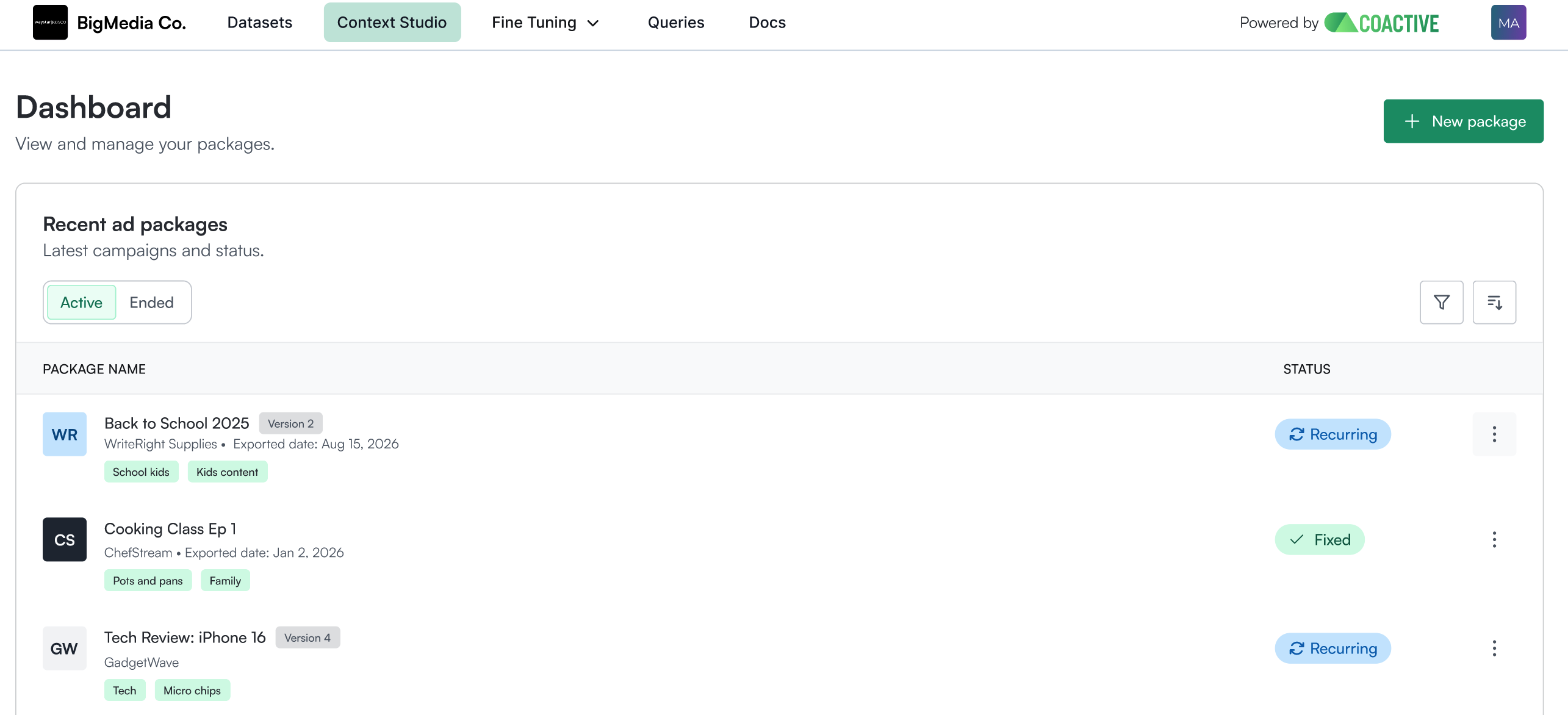
Section titled “Finding your versions”- The dashboard has Active and Ended views. When you create a new version, the previous one moves to Ended but stays viewable, and its JSON exports are preserved.
- Each package row shows a version label (e.g., “Version 2”). Each version is its own package, so only that version’s JSON exports appear within it.
How versions appear in the JSON
Section titled “How versions appear in the JSON”Every export’s package_metadata identifies the version:
package_id: the primary key; a new id (a full UUID) per version.package_name: constant across versions.version: increments each time (1,2,3, …).export_mode: what this export is.original: the first publish of a package.delta: a daily recurring run that includes only the new assets that newly qualify for the recurring package since the last run. (Deltas are specific to recurring packages; each daily run drops just what’s new.)refresh: a new version, with all content re-scored (a fresh, complete baseline).
root_package_id: thepackage_idof the original version (nullfor the first version). This links every version back to where it started, in the JSON.
A new version’s first export looks like this:
"package_metadata": { "package_id": "7a2c9e10-…", // new package_id for this version "package_name": "Brighter Together", // same name as the original "version": 2, // incremented "export_mode": "refresh", // a new version's full re-score "root_package_id": "55fb9fc7-…" // links back to the original (v1)}After that, the daily recurring runs continue under the new version as export_mode: delta.
Want more on how recurring packages work? See Recurring Packages.
Good to know
Section titled “Good to know”- History is preserved. The previous version’s exports stay available and nothing already delivered is rewritten.
- Name and client stay the same across versions; the version number distinguishes them.
- Manual exclusions carry over. A new version keeps the exclusions from the previous version, and you can keep them or remove them as needed.
- Edge case: if you broaden your targeting in the new version, anything you’d previously excluded stays excluded and may now overlap with your wider criteria, so it’s worth double-checking your exclusions after broadening.